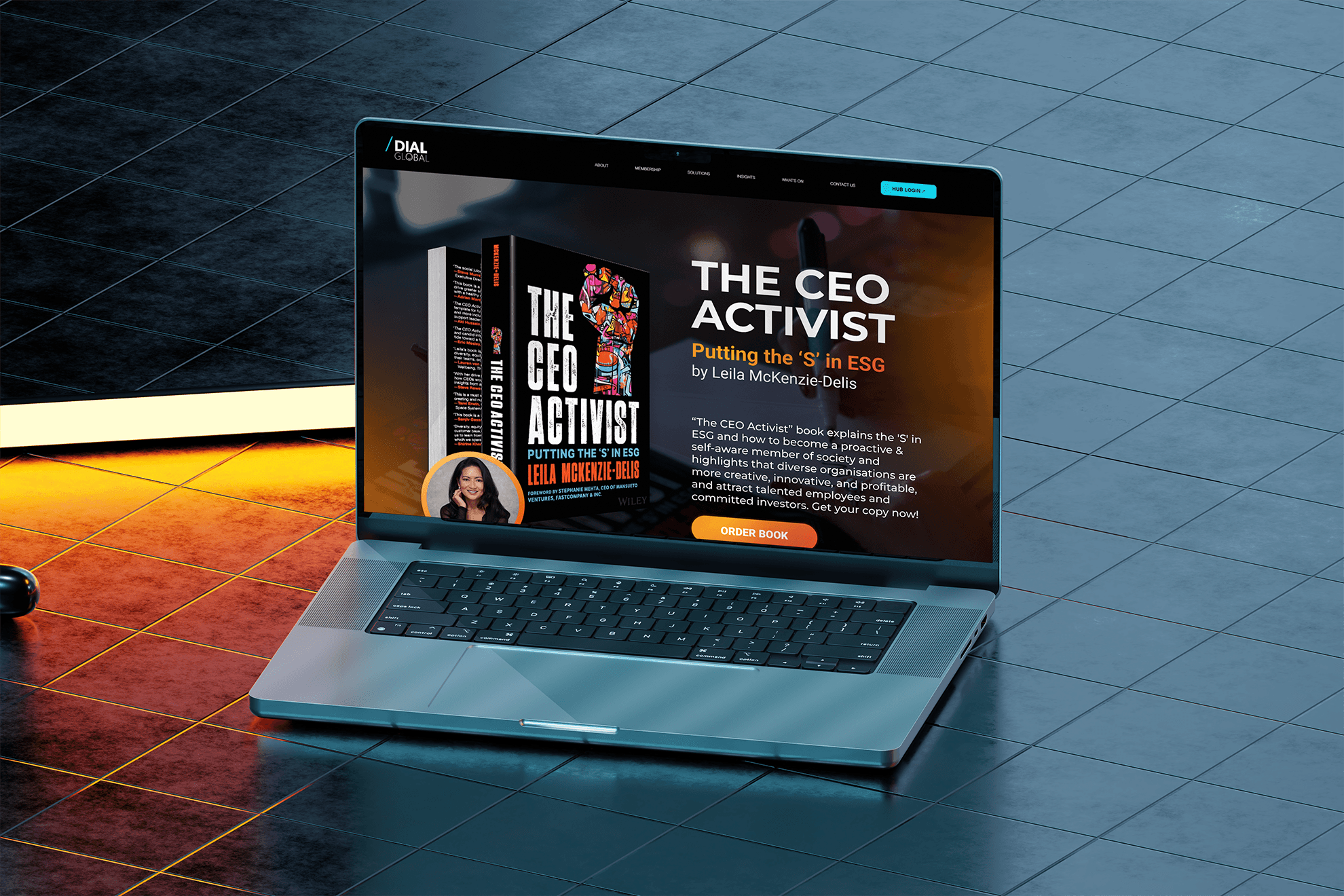
Creating a Healthcare App for Deaf Users
Client
Dr. Sign
Year
2021
This project was created during my undergraduate study for my dissertation project at the University of the West of England and I obtained a first-class honour for this project with positive feedback from mentors.
I designed a healthcare mobile application for deaf users by making online doctor visits easier with live transcription for seamless communication.
Scope of Work
Chapter 1: So… what’s the problem?
📢 PROBLEM
Imagine needing a doctor… but not being able to understand them. That’s the daily reality for many deaf individuals in the UK navigating access to healthcare. This could lead to deaf users having low health quality over time.
🎯 GOAL
Design a telehealth app that bridges the communication gap between deaf users and healthcare providers by enabling clear, real-time, and accessible interactions that feel natural, stress-free, and human.
I saw an opportunity to build something better, where accessibility wasn’t an afterthought, because existing apps weren’t cutting it:
No real-time transcription
No visual cues or signing integration
Confusing flows that discourage users
Chapter 2: The research process
SECONDARY RESEARCH
An academic literature review and a competitor analysis was performed on the existing deaf users’ approach in accessing healthcare service, how the UK’s National Health Service (NHS) support their needs, and how current telehealth apps solve this problem.
PRIMARY RESEARCH
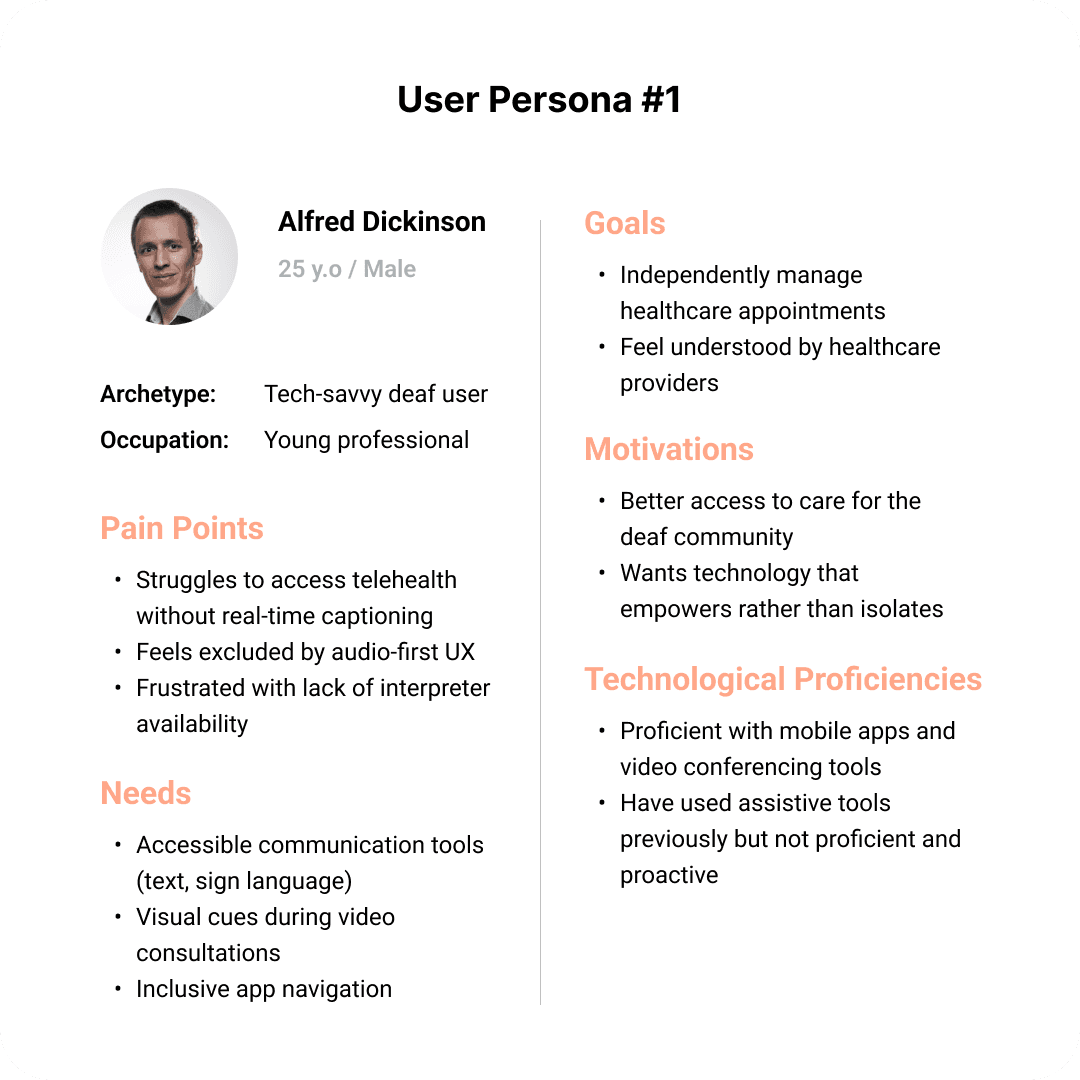
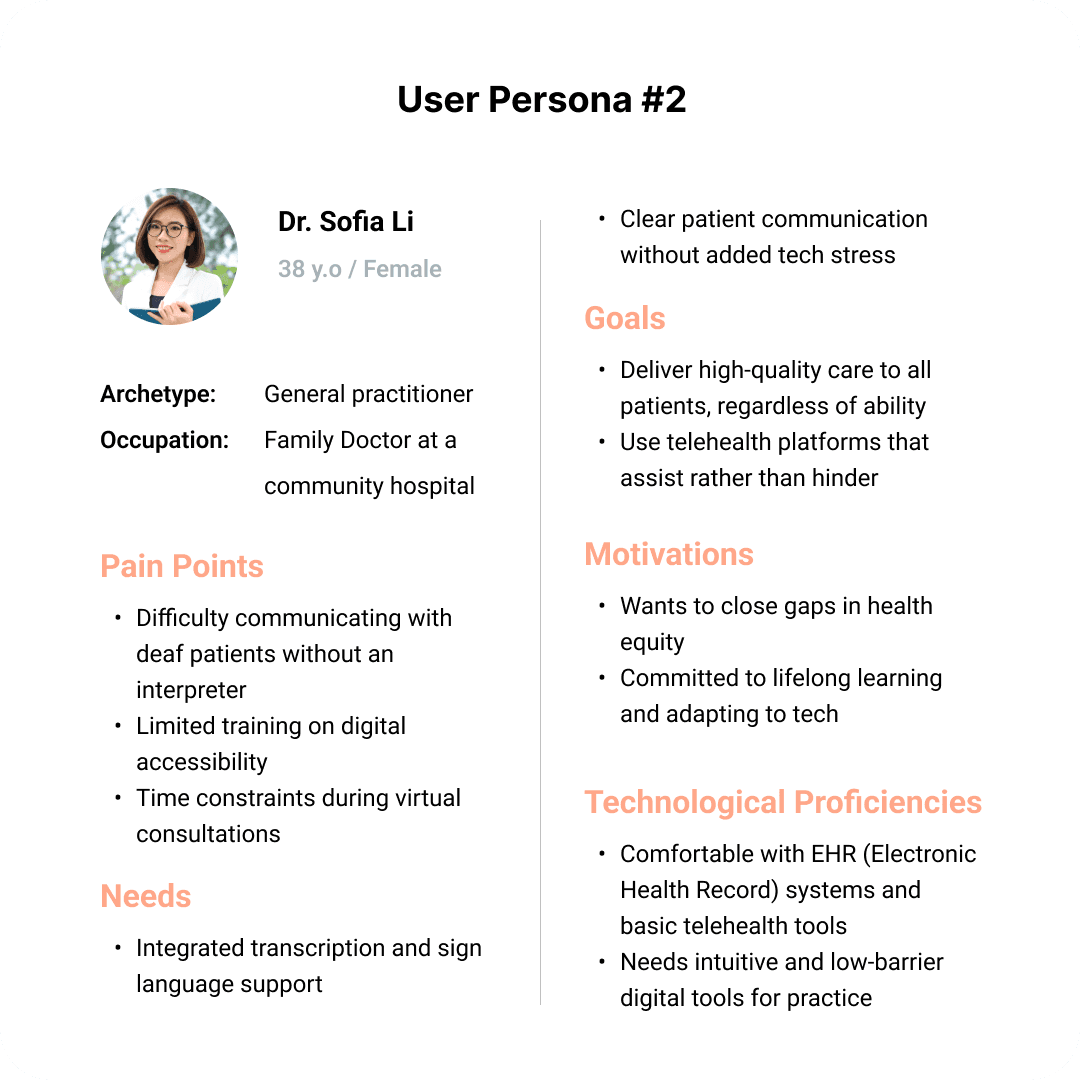
Along with the current findings from the secondary research, I didn’t want to play the guessing game, so I conducted interviews with 2 deaf individuals and 3 healthcare professionals.
Chapter 3: Designing a better way to “see & hear” from your doctor
THE CORE PAGES
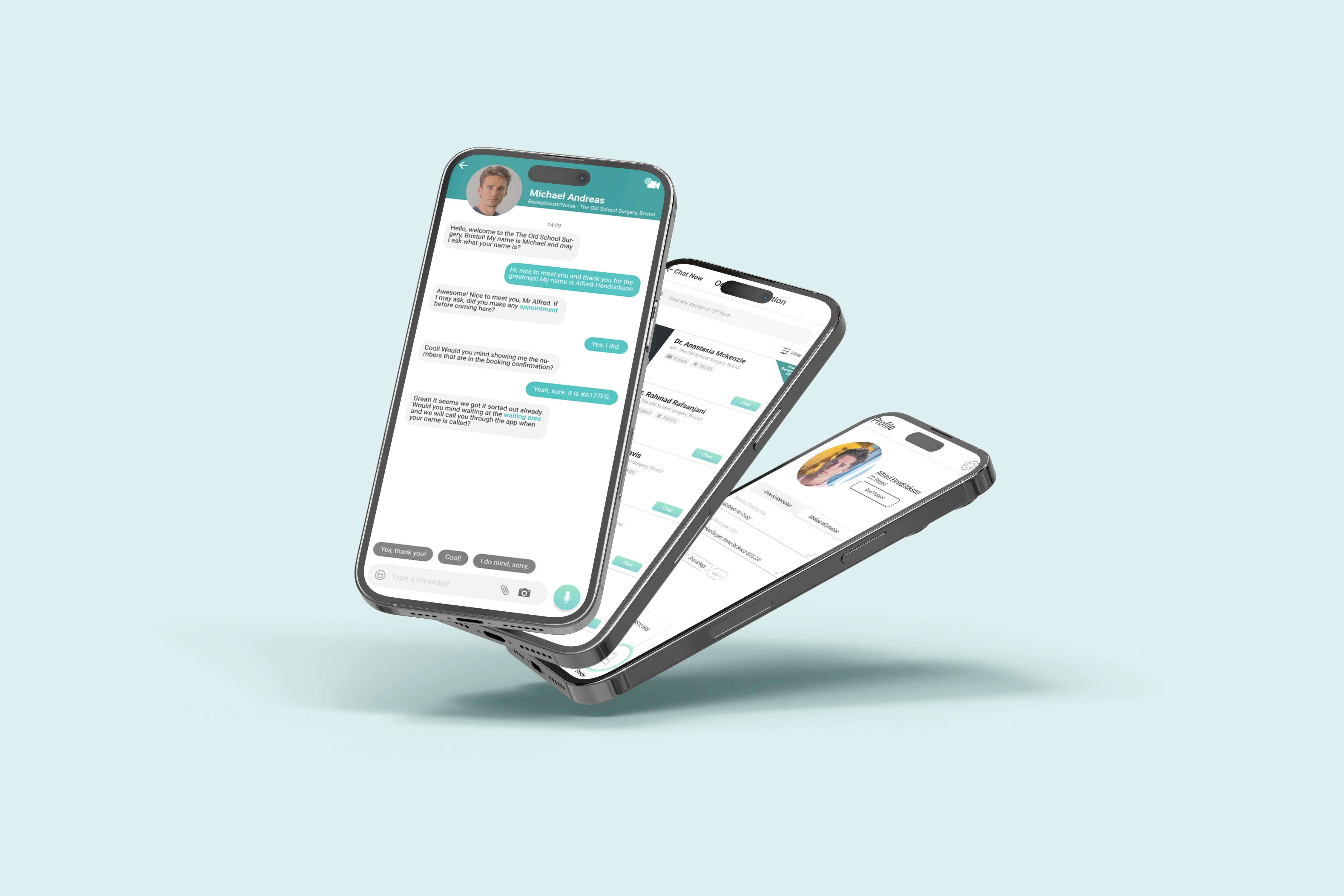
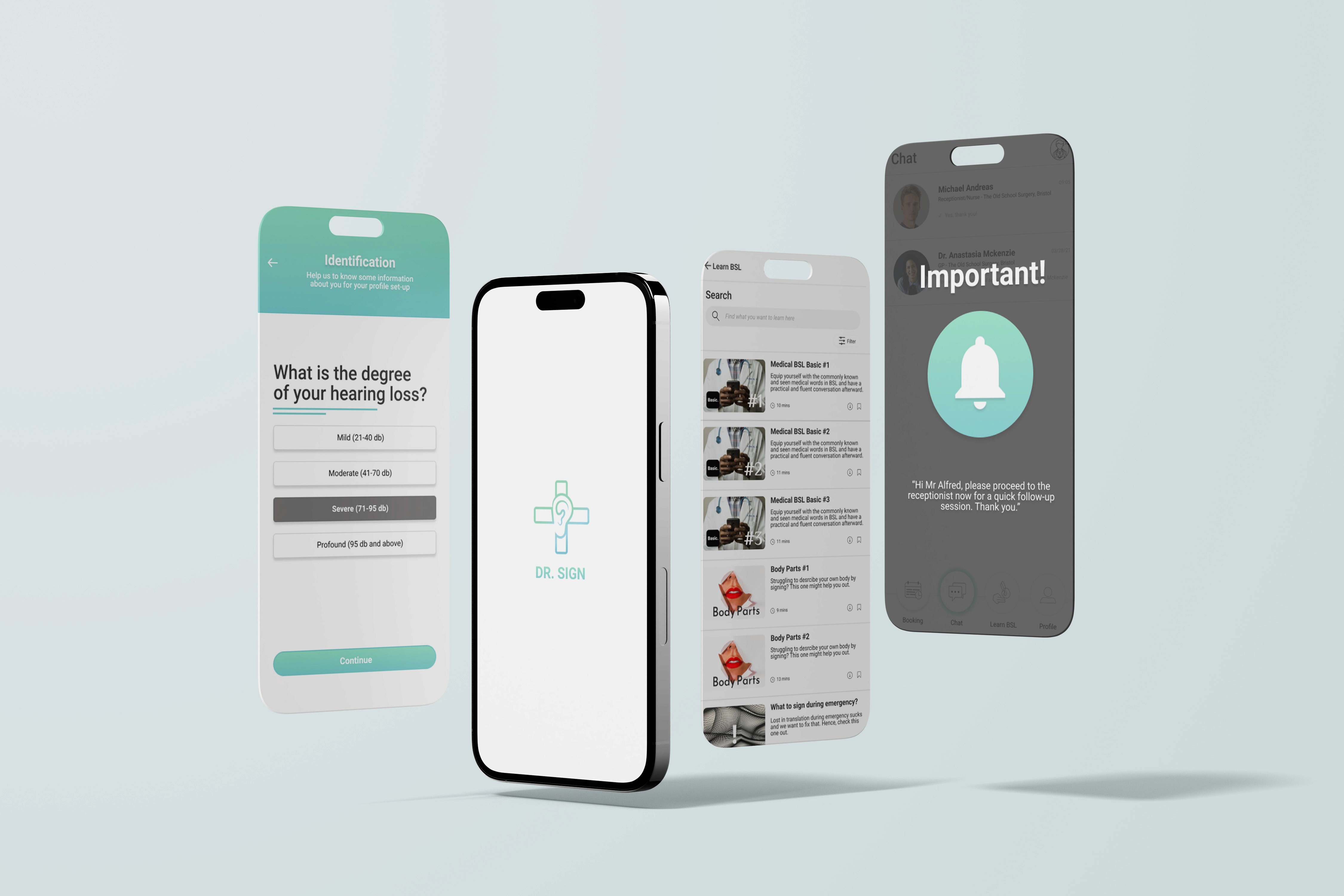
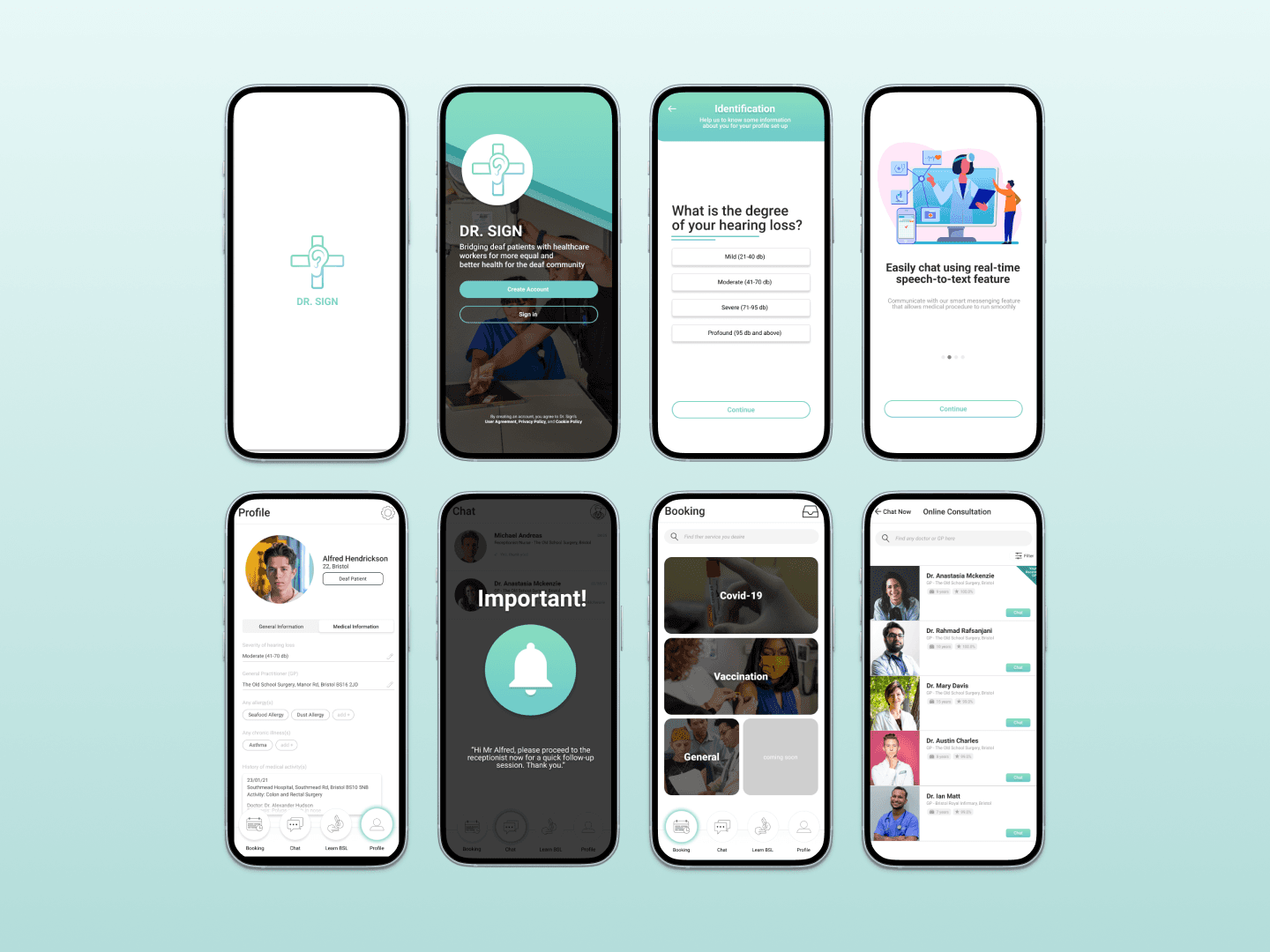
I had a big vision: an end-to-end healthcare app tailored for deaf users for accessing healthcare service. The core pages are shown below:
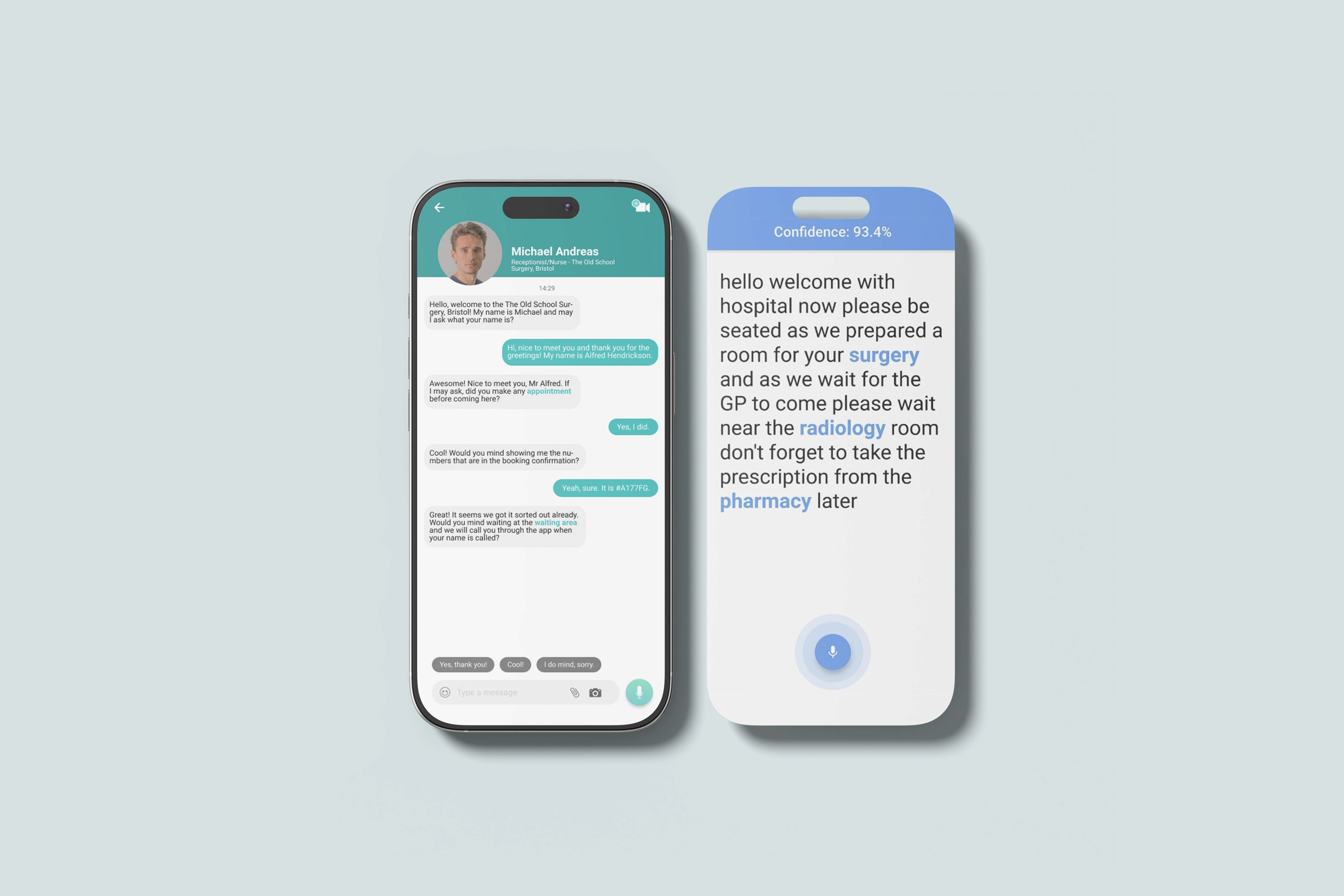
💬 Chat – Real-time transcription, messaging-style flow, smart replies, and key medical term highlights – all in one chat interface.
📅 Booking – Easy doctor visit booking via assigned or nearby clinics; no voice calls or long forms needed.
🧑⚕️ Profile – A simple space where users can access medical records, visit history, and personalized health information.
🧠 Learn BSL - A built-in learning space for British Sign Language; short, friendly lessons to empower users and promote inclusion.
BRANDING
Logo
Ear & Cross - blending the deaf and healthcare world visually: clean, symbolic, and straight to the point.Colour palette
Teal & Blue - Soothing, clean, healthcare-approved. Feels modern but warm, just like how healthcare should feel.Typography
Roboto - I went with safe and clean to keep things simplistic and intuitive.

Chapter 4: Testing, tweaking, and ✨transcribing✨
With the core pages mapped out, it was time to refine every little detail, from interactions to accessibility.
This stage was all about making sure the UI felt clear, intuitive, and empowering for deaf users navigating healthcare.
Even though I’m not a developer, I pushed myself to create a working prototype, and it paid off. I used:
Flutter as the cross-platform framework
Android Studio as the IDE
Kotlin to power the logic
Firebase's ML Kit to handle speech-to-text and AI features
It was scrappy, but it worked. And most importantly, it proved the experience could be brought to life.
Chapter 5: Reflections & what’s next
✨WHAT I LEARNED
Stronger UX understanding
This first ever UX project grew my confidence and gave me a clearer view of UX as a whole.Watch out for assumptions
I need to lean more on research and focus tightly on core user needs.Improve design consistency
A better design system is key to avoiding inconsistencies and ensuring both form and function.
✅ NEXT STEPS
Better as a feature, not a standalone app
Integrating features into existing healthcare apps would better serve users and align with business goals for meeting immediate needs.Simpler is better
Early design was feature-heavy and could overwhelm users. A streamlined, needs-based approach with gradual feature rollout would be more effective.